Welcome to a lesson
Driving!
Firstly just want to note
that any more or less progressive
user (not to mention the elite),
can view this article, "on
diagonal, because nothing really interesting here is not
(although in the end you can read small coming soon). The shell
is made with a fairly friendly interface, and
why did you not fatal
leave. Incidentally, when an
glitches immediately write to the editorial board, and indeed,
write that you do not liked and what you would like to see in
the next version of the shell.
So get started. The first thing that probably
you notice, it is virtually
"Formatovsky" interface. Some will say: what leym, another
clone of the format! But at a time when the concept was
conceived of the shell (as it was in 1997) is nothing more than
the original, we have not invented, and even though a similar
interface became a kind of standard in zhurnalostroenii. We
certainly realize that a long time this is pure pop and
therefore, to invent the next issue anything sour;)
Cursor control:
Sinclair 1,2;
Kempston Joystick;
Kempston Mouse;
Q (S), A (X), O, P.
Action (fire): Space, Enter, Fire on Joystick, first
pressing Taya mouse button.
Cancel (Cancel): E, Edit (CS +1), Break (CS + SPACE), other
mouse button.
While reading the text:
Line down: hands up;
Line up: down arrow;
Page Down: Right Arrow, Inv video, Page down;
Page up: Left Arrow, True video, Page up;
At the beginning of the text: Graphics mode (CS +9), Home;
At the end of the text: Caps lock (CS +2), End;
Call Setup: Extend mode (CS + SS), the middle mouse button;
Always work
(Trigger mode):
SS + M - On (Off) yuchenie Mouzon;
SS + N - Download Mouzon following items in accordance
with established lennymi flags (for details see
below);
F - Fast play Mouzon (2 times);
H, F1 - A Brief Account of assistance;
I, F2 - A bit of information;
V - Screen saver.
And you want to see that action
is activated by pressing the and cancel at
release. Also, action is more
priority (except in one case, described below). Incidentally
for those who are on an armored train: Home, End, Page Up, Page
Down, F1, F2 - this key on the XT-keyboard
(Profi).
While viewing the intro may Inc. (off) yuchit mouse button
1 and Kempston Joy 2 key while checking for their presence is
made automatically. By the way loading and unloading is a Turbo
SH driver, so the work is available in the Tr-Dos 5.03 and
above. Well of course here emulyatorschiki can get their
Gillette-Slalom (with a floating head;)
During the next room might put in the work through # 3D13, (see
our plans).
All windows / vents without any problems
moved on particularly liked
place. This is done as follows:
grab the arrow in the window title
(Top four familiarity in the box) and clicking and
holding action pick a new location.
The window is installed after the release
"Fire". It is in this mode, the greatest
takes precedence cancel, ie when moving windows can be easily
trampled this knopulku, and the window itself, a return
in its place.
When loading paper checks
the presence of text in memory, and if he is there
suddenly discover that, respectively,
nothing we will not ship. If the same article
will be in the extended memory, it is not
Bazaar spread to normal memory
so you could read it.
Text screen appears you next
as follows:
text screen conventionally divided into 4
zone in contact with the cursor
takes a certain kind (as in
accordance with the exposed flags)!
A diagonal layout seems to us
more convenient than any other.
There is still a header with buttons
and the vertical scroll-bar'om. Naturally we all civilized and
we can therefore without problems pokolbasit Knob'oy up and
down, or just poke at the very scroll-bar'u.
Top of the screen are six pimpochek:
e - line-up;
e
@ E - line down;
[E
AE - page by page up;
Ye
E - page by page down;
e
yu - Exit from the menu;
th
@ W - Setup.
[W
The most interesting is uniquely
Setup, clicking on which will lead to
appearance of the following menu:
Let's start
P description of the items
p in order, with a
p move in the subdivision
ly:
[Music ...] - Subdivision to work with th
ditional music:
Play music - Playing on / off;
Conceived - Download music by default (ie
his own muse for his article);
Random - Downloading music is an arbitrary (in
Register R);
In order - upload the following music going;
Let's hear it! - When another article music remains
is the same, ie you liked ka
Kai-a muse, you turn this option and
listen to it constantly.
[Load ...] - a kind of built-in player Listen
tion of tracks are in the magazine
(Optional);
Download the following items - download music on the flags
of the item
(Conceived, random, order, wasps
tavit old). When the flag to "think"
respectively loaded and only
if the currently playing
different music.
[Save ...] - Subdivision for recording all
nasty:
[On a floppy disk ...] - includes the following items:
Computer's Memory - Pure funny;
Text - Recode text format ZX-Word'a and
writes to disk. The process occurs
so fast that the wait will not
more than 10 seconds!
Screen - Record screen standard screen under
"Art Studio", and on the recorded
the screen will not be heading, bars
and all
those disclosed frames!
Music - store music, without the player, with
extension rhenium "m", which
corresponds to a musical nomu editor
of "Pro Tracker 3.31".
On audio cassette - will understand :-)
On video tape - and so everything is clear ;-)
On compact disc - simply nowhere> :-)
There should be a slight digression:
despite the fact that all the lyrics and music
You can upload, strictly forbidden to put this thing on Web-page
and similar distribution of materials. If we see such
impudence, consider that in the next issue you can download
only the audio / video and CD media! ;)
[Color ...] - Subdivision to install
Color:
[Text Color ...] - includes the following items:
All colors - Text will be displayed their families CEE
Tami;
Your color - the color for the text will be drawn
from the following items
paragraph;
[Select text color ...]- includes the following subkey:
Ink Color - Color Ink;
Color Paper - Color Paper;
Brightness - Bright On / Off;
Flashing - Flash On / Off.
In the summation, we obtain the desired
color, which will be painted screen
being made so that the ink color is not
can be equal to the color of the paper. Well
brightness and flashing implemented to
holders of 128 colors!
[Color sprites ...] - Includes items similar to CEE
that text, but the only difference is
that
color will be replaced only sprites.
[Scroll speed ...] - Subdivision for the installation of
speed
with scrolling text:
Asynchrone - scrolling without synchronization with the
switching cheniem screens that will lead
to cropping
text;
Fasting - Fast speed but with the synchronization;
Ordinaring - Normal speed;
Slowing - Slow.
[Page speed ...] - Subdivision for setting speed perelis
tyvaniya text. Similar to section Scroll
speed.
[Cursor ...] - Subdivision cursor options:
Brake - Maximum speed of 2 pixels;
Normal - --/-- 4 pixels;
Nimble - --/-- 8 pixels;
Stable - Located in the state Yes / No ". Condition
"Yes" means that the rate of motion
(2/4/8)
pixels is constant. If the same "No"
the speed of the cursor will be the
so-called
"Acceleration";
Changing - in a state of "Yes / No". Condition
"Yes" means that when the cursor hits
one of the four display areas he will form
Therefore, given to you next point. If
"No"
it remains an arrow;
[Type ...] - Includes a selection of arrows:
p
nk Everything is simple to
Pm idiocy: Navoi
b dites the desired
b an arrow and
@ S press action,
s more all to see
`B themselves.
[Mouse ...] - Subdivision to set the speed of movement
cursor on the Bat:
Normal - Normal speed;
Fast - Speed is selected on the plate medium
quickening;
Feral - The speed selected by the plate speed
quickening.
[Screen saver ...] - Subdivision to adjust the time
tripping tion screen saver on and off
it th:
Screen saver - Accepts values "Yes / No". If "No"
guardian simply can not be turned off
and
under any circumstances. If "Yes" keep
Tel wait for so long, how
you have to specify it:
10 seconds - 10 seconds before the explosion
30 seconds - - / -
1 min - - / -
2 minutes - - / -
5 minutes - - / -
[Viewer ...] - Subdivision To set the Headers
ka (cap), and scroll bars:
Header - Gets a state of "Yes / No". In a state of "Yes"
always present on the screen, regardless of
cursor position. If "No" on the screen only
when the cursor is at the top
4 lines, ie at the title. If the same
the cursor goes down, the header is lost, and
instead there are 4 lines of text.
Scroll bar - Accepts state Yes / No ". In a state of "Yes"
always visible on the right. If "No" will be
seen,
only if the cursor is located to the right
of the text On windows, ie at the very bar.
Switched off
scroll-bar additionally printed text (in
general, all articles are formatted so that
scroll-bar does not cut the text. Just some
full-screen images could not be cut without
loss of quality, and spetsalno for this was
introduced such a regime.)
At the same time, also has two states, "Yes / No". If "Yes"
the appearance of title bars and are
simultaneously simultaneously. If "No" in
turn (for example: ask
that title was in a state of "Yes", and the
bar in
"No". Item "simultaneously" in "Yes" and
cursor is at the center of the screen. In
this case you
see the title, but do not see the bar. Now
runs into the header and ... O wonder! Bar
there appeared las! But even if not
understood, and poked
'll understand).
[Change ramk ...] - Subdivision to change the current
frame (this
the one that frames the section title).
When
Upload a new article as I frame
is.
[Setup ...] - Subdivision to save / restore / mouth
Novki all parameters of the shell:
Normal - Sets the data "by default";
Load - Loads data from disk;
Save - Saves the data on the disc.
Hull repairs, loads
and stores all data and menyushek Setup'a
location of windows.
Now I want to say a few words
possible bug in the shell:
1 - Probably will not work the middle mouse button (in our
case there are none).
2 - might not work the driver of upper memory for Atm, Turbo
2 +, Kay 1024, Scorpion Gmx, because Data
komputerov models in our town is not
observed and have to write driver
purely theoretically.
When we wrote a wrapper for this
magazine we had no mice, and
magazine was conceived only for use by
keyboard. After the appearance of mice was
made their support, but alas complete mice failed to achieve,
so do not blame me :-( It was also introduced support for
XT-Profi keyboard function keys.
---------------------------------------
Well, now let me tell about
our plans for the following numbers Miracle:
(!) - Must be already into the next number;
(*) - It may be, but do not expect much;
(T) - Mandatory availability of the Turbo mode;
(M) - Mandatory availability of memory at least 256 KB.
In shell:
Calling Setup'a without logging in read mode (!)
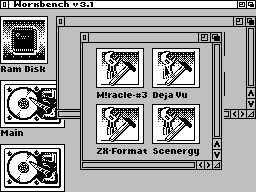
Dramatically rethink the look and design of the shell
in
side of the icon-window interface (*)
Full mouse support (access to all functions without
climbing to the keyboard) (!)
Be sure to support the high memory (*)
In the Viewer:
Replacing the vertical bars on the horizontal (!)
Will correct the work of bars (!)
Additional (optional) screen layout in Format
and Deja Vu (!)
Underline the text (!)
Animated cursors (*)
The articles will be animation, without trimming (*)
Intuitive process of loading the magazine and the
articles (*)
Support AY-Mouse, if someone would give the driver (*)
In Setup'e - on (off) the cursor on the shot for
Compatibility Format'a fans and experts (*)
Additional loader for IM 2 and # 3D13 (*)
Full support for General Sound (*)
Musical analyzers for AY (*) (m)
Several $-Saver 's (*) (m)
Animation in the (*) (m)
Proportional font + to existing (*) (m)
Different modes of developer frameworks (*) (m)
Framework of arbitrary shape and texture (*) (m)
Supporting data from the Miracle # 3, ie under the new
shell Coy can be viewed articles 3 issues (*) (m)
Frame-scroll, (*) (m) (t)
Best of luck!
*