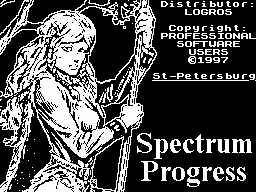
Offer readers acquainted with the package
ZX-WINWORD, designed to prepare
illustrate the text. It includes:
editor ZX-WINWORD 1.3
rezalschik sprites
text designer
(C) Eugene Miloon, 1997.
In many ways, my editor is similar to ZX / IBM EDITOR, but
only on the external interface (the I Consciously and
independently made similar, in WINWORD no unified command of
the ZX / IBM EDITORa just the editor I liked) - Internal
filling them different, and that will become clear after
reading the following text.
Little technical information.
1. Required memory - 128 KB.
2. Maximum text length - 49,152 bytes.
3. Maximum length of graphic - 32,768 bytes.
4. The maximum length of a template that binds together the
text and graphics - 16384 bytes. 5. The number of fonts - until
one. 6. Maximum number of pictures on a single
screen (aka page) - unlimited.
7. Maximum number of sprites in the table
graphics - while 256 sprites. Sprites can be
both color and monochrome.
8. String length; working length - 42 characters
(Ie, that you can edit), full -
255 characters (ie they are not visible, but present).
9. Speed - given the size of the processed data and a set of
functions - rather fast, without taking into account -
acceptable, relatively with IBM - a slow, compared with
"Microsha - sverhreaktivnaya.
10. Disk medium - TR-DOS.
11. Encryption - Full ASCII, Code translation
string - # D; ie all as in IS-DOS.
12. Number of rows in a page - 22.
Control keys for editing.
Arrow Up, Down, Left, Right - move
cursor on the screen or in the menu.
SS / Space - Output from the menu of the text edit mode.
Ext.Mode - entry into command mode, the status
prompt appears "Command:", details
about it below.
DELETE - delete character to the left of the cursor.
GRAPH - delete character under the cursor. May
applied for shifting lines.
SS / W - turn on / off the insert mode
symbol.
SS / E - move the cursor to the end of the line.
SS / Q - to the top of the line.
ENTER - line break and / or transfer of
rows down.
TRUE VIDEO - page up to top
text.
INV. VIDEO - page down to the end of the text.
CAPS.LOCK - On / Off mode
uppercase characters.
EDIT - no-eh, it's not Escape, a switch to Russian / Latin
alphabets.
Key command mode.
F - Search for a piece of text, to find the next piece you
need to select this option again.
R - Replacement of a fragment of another,
after finding will be prompted to "REPLACE?"
and the expectation of the key "Y" / "N" / "Space".
O - reprinting the entire page, put on
Every firefighter and is useful if you
suddenly seem that the color on the screen something
not - reprint this page and the "normal"
Color back.
L - Remove the current row.
P - the entrance to the start editing the template. He
available only in the DOC and the presence of block schedules,
his keys below.
G - enabling / disabling mode pseudographics.
Up - on the first page. 8. Down - to the last page.
B - mark the beginning of the block, this block and the
following operations are available only in TXT, DOC in the mode
they are simply ignored.
E - mark the end of the block.
D - delete a block.
Q - razotmetit block.
C - to copy a block, not razotmechaetsya.
M - move the block.
the numbers 0 through 9 - Enter the character through a set
of its decimal code (ie the input character code).
Key, edit the template.
1. ENTER - to introduce a new graphic on this
page.
2. DELETE - delete the current image.
3. + (Plus) - the following illustration.
4. - (Minus) - the previous illustration.
5. TRUE VIDEO - next sprite, ie change
Pictures for the current picture.
6. INV.VIDEO - previous sprite.
7. Space - exit text edit mode
while retaining all the changes.
8. Up, Down, Left, Right - move images around the screen.
Now on the menu.
Each menu has at least one capital letter - a so-called "hot
button" item, when clicked, will his choice. For the
"traditional" choice points You can use the keys Up, Down, Left,
Right, Enter. SPACE - Exit the menu without choosing
kakogolibo item.
The main menu consists of 6 points.
1. File - working with files.
load Text - reading the text;
load sPrites - reading block schedules;
Load doc. - Read the document (text
+ Graphics + template);
Merge doc. - Docking document
from the file to, which
ry in the memory;
Save doc. - Record the document;
save tExt - only write the text;
New - a new document;
Catalogue - the output folder of your drive;
cHange disk - change floppy drive;
Exit - Exit to Basic in the pseudo
48 mode - Editor
48-th and 128 th memory.
2. Edit - enter the edit mode, you can
just press Space, while at any point.
3. Inform - display information about the current size
text, graphics and templates, as well as the size of
free memory for them.
4. About - information about the version of the program.
5. Setup - Setting the. While here only
two points:
Sound - on / mute;
Mode - the task mode TXT (derived
text-only) or DOC (derivation
reduces text, graphics, and using
vayutsya some code com
recombination in the text).
Exit to the main menu - Space.
6. Print - Print the document on a printer.
While this feature is not implemented - I
no printer. Who are interested in this remarkable features, let
me give the printer (Almost a joke).
Under the main menu bar is the status of
Line, which reports information about the mode of the editor.
Left to right: - ENG / LAT / GRAPHICS - current alphabet
Russian / Latin / symbols pseudographics. - CAPS / ____ - mode
uppercase / lowercase letters. - INS. / OVER - insert mode /
character overlay in cursor position.
- PAGE: xxx - current page number.
- MODE: DOC - mode display text or DOC
TXT.
- Xx - decimal code for the character under the cursor.
It's all in the editing mode, text mode editing template, all
a little differently: - PAGE: xxx - current page number.
- SPRITE: aaa / bbb - number of the current sprite
(Aaa) and the total number of sprites in the table
(Bbb).
- X = xxx - x coordinate of this sprite.
- Y = yyy - y coordinate of this sprite.
Now, a few general points.
Due to the fact that the text "flows like" through the
pages of memory access to each text character by using special
procedures that very slow compared to the case where the text
sits in a 48-second memory. In this humbly ask you to make
allowances for the speed operations, search / replace pieces -
I have already did almost everything that is humanly possible,
that to accelerate these operations. (Average seek time
fragment on the same page for 2-3 seconds).
Under the text, graphics, template discharged
own memory locations, so their maximum size of each other does
not.
The document is saved in native format,
with the addition of one service sector, which contains all the
necessary information to the editor for the normal
identification document. In addition to the text, of course, in
the file present and the pattern and the table of sprites. A
therefore, file the document in a text editor is likely
glyuknetsya. Yes, and in the WINWRD should not be read through
the documents LOAD TEXT.
Since the maximum length of the whole document
may reach 384 (!!!) sector, the program introduced the concept
of file-satellite - the file located directly behind the main,
having extension "1" and employees ONLY
(!!!) For what would be fooled by TR-DOS. The main file and the
file-editor of the satellite are considered as a whole (!!!),
and therefore always satellite must be located behind the main.
When writing a document file, automatically
is wiping all the files with the same
name is files are automatically overwritten.
All disk operations in this release are made through the
standard # 3D13-e procedure, with all the consequences of disk
errors.
If you type a file name to delete all characters and press
ENTER (ie enter an empty string), then the disk access will not
happen. If, For example, you hit the mode sluchyno LOAD DOC.,
and read something for nothing and do not want, then enter an
empty row (but not a string of spaces)
you return to the main menu.
As I said earlier, the editor understands mode DOC few
service code combinations. You still will be useful, only one -
management color - a code 16 followed by the byte
attributes, they can dial in the mode of TXT (through
Command), where they will be perceived as
ordinary characters (this applies to all code combinations),
and in the mode of DOC, they will "work" (Ie can not be seen)
and they will "get along side" cursor.
Sprites have my own format, and their
better to cut through my CUTSPRITE, which I will discuss below.
START parameter file table shows the number of sprites sprites
in the table. And now solemnly announce you format the table:
sprayt_1, sprayt_2, sprayt_3, .... Format
Sprite:
- The length of the block (all below the following
bytes, excluding these 2 bytes);
2 bytes;
- Image size on X, in the familiar
Stach, 1 byte;
- Image size on Y, in pixels
lah-1 byte;
- Bytes of the image line by line;
- Indicates the presence of attributes, and if 0,
there are no attributes and this sprites for the
ends by, if # FF, then further
are:
- X-size of the attributes of a sign
field, 1 byte;
- Y-size of the attributes of a sign
field, 1 byte;
- Attributes that line.
CUTSPRITE v.2.0
Now my turn came up to the second component
package - software CUTSPRITE, demanding for the whole 48K.
Immediately say, that the program I was doing
for completely different purposes in mid-1994, and therefore
humbly ask you to make allowances on its design and service.
The composition of the first package "ZX-WINWORD" I included it
only for the simple reason that I was too lazy to invent
bicycle, "and even the time was running out again, but
the next version all will be "on high".
The idea of this program is simple - do not draw
sprites, and cut them out of the ready-made images
that can be drawn in any on-screen editor.
Now about the program. After loading
program goes into the so-called display
mode - the mode in which frames are defined by boundaries
sprite. Control keys:
O, P - horizontal movement of the frame (for familiarity).
Q, A - a slow vertical movement of the frame
(In pixels).
W, S - rapid vertical movement of the frame (on
familiarity).
Left, Right - change the horizontal size
frame.
Up, Down - slow change of frame size on
vertical (in pixels).
E, D - a rapid change in size of the frame vertically (for
familiarity). Ext.Mode - call the main menu (command mode).
H - Help Screen output.
Main menu.
Selecting an item by pressing the corresponding number key
point:
0 - CATALOGUE OF DISK - output folder of your drive;
1 - LOAD SCREEN - reading images and the transition to
display mode;
2 - LOAD SPRITES - read table sprites
disk, where the parameter START will be treated as the number
of sprites in the table; 3 - SAVE SPRITES - write to disk tables
sprite (parameter START - the number of sprites) [K
Unfortunately this bug is detected, sometimes issued
message that the file with the same nazavaniem
already exists, while it is not. If you answer yes to the
request to "overwrite", then everything will be OK.]
4 - CUT COLOR SPRITE - cutting Monochrome
sprite, previously marked frame, after cutting the screen mode;
5 - CUT COLOR SPRITE - cut color
sprite;
6 - VIEW SPRITE - Image of the sprite with the right number;
7 - DELETE SPRITE - removal of the sprite to the desired
number, the entire "tail" moves;
8 - NEW SPRITES - delete ALL of the sprites
table;
9 - SCREEN MODE - return to screen mode.
The top row contains: the number of
sprites in the current table (SPRITE:) and the amount of the
remaining free memory for the table (FREE:).
In other work with this program easily
and you will easily cope with it.
That's basically all that I wanted to tell you
about this package. Thank you for your attention.
About the bugs you found me a call:
tel. (8462) 32-37-60 in Samara Eugene
(From 18:00 to 20:00 MSK)
or "mylte" 2:5057 / 18.73 @ FidoNet
To: Evgeny Milun
SUBJ: ZX-WINWORD