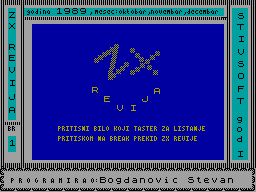
ZX Classroom: BASIC
In this section, the first three issues of ZX Revija will try to briefly introduce you to the basics of BASIC for the ZX Spectrum. This has been done in response to suggestions sent to the editorial office.
Basic Computer Commands
RUN— runs a programLIST— lists a programBREAK— temporarily interrupts a programCONTINUE— resumes execution of a program that was temporarily interrupted by theBREAKcommandEDIT— displays the current line at the bottom of the screen, allowing its contents to be changedNEW— deletes the program and variables from memory, as well as clearing the screen itselfCLEAR— deletes all variables and frees the memory space they occupied
Input/Output Commands and Related Commands
The following commands belong to this group: INPUT, PRINT, CLS, READ, DATA and RESTORE.
INPUT
Used to accept data from the keyboard and assign it to input variables.
The general form is:
INPUT[ character expression ;] listwhere:
character expression— a character expression displayed on the screen when data is expected to be entered from the keyboard.list— one or more variables, separated by commas, to which the values accepted from the keyboard are assigned.;— the symbol used to separate the character expression from the variables specified in the list.
The command is executed by temporarily interrupting the program and waiting for values to be entered for the variables specified in the list.
Notes:
-
The
INPUTcommand can be used with theAToption to define the screen position (row, column) from which a particular item of data is accepted.The general form of the operation is:
AT m,nwhere
mdefines the row andndefines the column within rowm(0–31). -
The
INPUTcommand can be used with theLINEoption. This is used to avoid the appearance of quotation marks when entering a string variable. -
The
INPUTcommand can be used with options for defining colour (PAPER,INK,FLASH,BRIGHT,INVERSEorOVER).
Used to print numerical values and text on the monitor screen (or television set).
The general form of the command is:
PRINT[ list]where list is a list of items.
Notes:
-
The symbols comma, apostrophe and semicolon are used to separate items in the list and control how the data/text specified in the list is arranged when printed on the screen:
'— continues printing on the next line,— continues printing at the start of the next print zone (column 0 or column 16);— continues printing in the next column
-
The
PRINTcommand can be used with theTABoption, which controls output within a single line; that is, it defines the starting position of the output field within a line. The general form of this option is:TAB nwhere
ndefines the column at which the first field specified in thePRINTcommand begins. -
The
PRINTcommand can be used with theAToption to define the starting screen position (row and column) from which data/text printing begins. The general form of the option is:AT m,nwhere
mdefines the row (0–21), andndefines the column within rowm. -
The
PRINTcommand can be used with options for defining colour (PAPER,INK,FLASH,BRIGHT,INVERSEorOVER).
CLS
Used to clear the screen. The general form of the command is:
CLSWhen this command is executed, the contents of the screen are cleared.
DATA
Used to store data within a program, where it can be read using the READ command. Data is read sequentially, in order; string data must be enclosed in quotation marks.
The general form of the command is:
ZX Classroom: BASIC
DATA is a list of data items, where:
data list — a list of elements separated by commas. The elements can be numeric or string variables.
This statement is not executable; it is associated with a READ statement. It is most often placed at the end of a program. The data in the specified DATA statement must correspond to the variable names specified in the READ statement (the types must match).
READ is used to load the data specified in a DATA statement and assign it to the variables specified in the READ statement.
The general form of the statement is:
READ variable listwhere:
variable list — one or more numeric, string, or subscripted variables separated by commas.
When this statement is executed, the variables specified in the READ statement are assigned the values specified in one or more DATA statements. This statement is similar to the INPUT statement, except that the data being loaded is fixed and predefined by the DATA statement.
RESTORE is used to initialize the data specified in a DATA statement.
The general form of the statement is:
RESTORE[number]where:
number — the line number of the DATA statement from which initialization begins. If omitted, the starting position of the RESTORE statement is assumed to be the first statement in the program.
This statement ensures that the next READ statement in the program loads data starting from the first DATA statement whose line number is equal to or greater than the number specified in the RESTORE statement.
Examples for the preceding group of statements:
10 PRINT Obrež,15.10.1989 year

a) PRINT 2+3*5
b) PRINT Novi Sad
c) PRINT Novi Sad
d) PRINT Novi Sad
e) PRINT AT 10,10; ZX REVIJA
f) PRINT TAB 10; BASIC

10 INPUT argument?;x
20 PRINT (INPUT):;a$
30 PRINT (INPUT LINE):;b$

10 PRINT Function:
20 PRINT: PRINT y=x*x-3*x-1.6
30 PRINT: PRINT for x= x; has the value
40 PRINT x*x-3*x-1.6

10 INPUT a$:INPUT LINE b$
20 PRINT (INPUT):;a$
30 PRINT (INPUT LINE):;b$

10 READ a$
20 PRINT name:
;a$
30 DATA Matija

10 READ a,b:PRINT a,b
20 RESTORE 40
30 READ x,y,z:PRINT x,y,z
40 DATA 1,2,4

10 READ x:RESTORE 200
20 READ y:RESTORE 300
30 READ z
40 PRINT x; ;y; ;z
100 DATA 23,43,54
200 DATA 1,0,3
300 DATA 200,300,400
REM Comment Statement
REM is used to add a comment line to a program.
The general form of the statement is:
REM textwhere:
text — any content that represents a comment.
Example of the REM statement:
10 REM example of the REM statement
20 INPUT side?;a:INPUT height?;h
30 PRINT triangle with:
   PRINT side a= ;a
40 PRINT and height h= ;h
50 REM result P=a*h/2
60 PRINT has area P= ;a*h/2
STOP End Statement
STOP is used to halt further execution of the current program.
The general form of the statement is:
STOPIt can be used to stop program execution and then continue it with the CONTINUE statement.
Example of the STOP statement:
10 READ a,b,c
20 PRINT a,b,c
30 DATA 10,11,15
40 STOP
LET Statement for Assigning a Value to a Variable
LET is used to calculate the value of an expression (numeric or string) and assign the calculated value to a variable (numeric or string).
The general form of the statement is:
LET<numeric variable>= <numeric expression>
LET<string variable> =<string expression>
This statement works as follows: the value of the expression to the right of the equals sign is calculated and assigned to the variable to the left of the equals sign.
Example of the LET statement:
10 REM converting meters to centimeters
20 INPUT enter the value in meters:
ZX Classroom: BASIC
Fragment 3/4.
;m
30 LET c=100*m
40 PRINT m; "meters is="; c; "cm": STOP
Functions for Implementing Basic Mathematical Functions
The available functions are: SQR, EXP, LN, ABS, SGN, INT, SIN, COS, TAN, ASN, ACS and ATN.
SQR
Used to calculate the square root of a numerical value.
The general form of the function is:
SQR(numeric expression)Note that the value of the numeric expression, which is the function’s argument, must not be less than zero.
EXP
Used to determine the exponential value of a numeric expression.
The general form of the function is:
EXP(numeric expression)Note that an exponential function of the form a^b can be implemented using the relation:
a^b = EXP(b*LN(a))LN
Used to determine the logarithm of a numeric expression (this is the function ln(x), i.e. the logarithm to base e=2.71...).
The general form of the function is:
LN(numeric expression)Note that the value of the numeric expression must be greater than zero.
ABS
Used to determine the absolute value of a numeric expression.
The general form of the function is:
ABS(numeric expression)Note: By definition:
|x| =
    x,  for x>0
    0,  for x=0
   -x,  for x<0
SGN
Used to determine the sign of a numeric expression.
The general form of the function is:
SGN(numeric expression)Note: By definition:
sgn(x) =
    1,  for x>0
    0,  for x=0
   -1,  for x<0
INT
Used to determine the integer value of a numeric expression.
The general form of the function is:
INT(numeric expression)By the integer value of a numeric expression, we mean the greatest integer that is not greater than the value of the given numeric expression. For example:
INT(7.13)=7
INT(-5.6)=-6
SIN, COS and TAN
Used to determine one of the trigonometric functions (SIN, COS and TAN) for the value of the specified numeric expression.
The general forms of the functions are:
SIN(numeric expression)
COS(numeric expression)
TAN(numeric expression)
where:
numeric expression — the function argument, representing the value of an angle expressed in radians.Note:
- When using the TAN function, care should be taken regarding the definition of this function.
- The function ctg(x) can be implemented using the relation ctg(x)=1/tg(x).
ASN, ACS and ATN
Used to determine the value of one of the inverse trigonometric functions for the value of the specified numeric expression.
The general forms of the functions are:
ASN(numeric expression)
ACS(numeric expression)
ATN(numeric expression)
where:
numeric expression — the function argument, subject to certain restrictions because it represents the value of sin(x), cos(x), or tg(x), respectively.Notes:
- For the ASN and ACS functions, the numeric expression must have a value in the interval [-1,1]. For the ATN function, care should be taken regarding the domain of the function tg(x).
- The function arcctg(x) can be implemented using the relation arcctg(x)=PI/2-arctg(x).
Examples for the Functions Above
10 REM calculate square root
20 INPUT "Enter a number?";a
30 PRINT "For the number a=";a
   PRINT "The square root is ";SQR a
40 STOP
10 INPUT "Enter the value of the exponent?";a
20 PRINT "For the number a=";a
PRINT "The value of EXP(a) is ";EXP a
30 STOP10 INPUT "Enter a number?";a
20 PRINT "The logarithm of the number a=";a;" is ";LN a10 INPUT "First number ";a
INPUT "Second number ";b
20 PRINT "For the numbers a=";a;" the value of LN a is ";LN a
30 PRINT "The absolute value of the product a*b is ";ABS (a*b)10 INPUT a,b:PRINT "a=";a, "b=";b
20 PRINT "The sign of the difference a-b is:"
;SGN (a-b)10 INPUT "Enter a number?";a
20 PRINT "INT(a)=";INT a10 PRINT "TRIGONOMETRIC FUNCTIONS"
PRINT
20 PRINT "For angle ALPHA=30 degrees, i.e."ZX Classroom: BASIC
PI/6 radians
30 PRINT "sin 30="; SIN(PI/6)
40 PRINT "cos 30="; COS(PI/6)
50 PRINT "tan 30="; TAN(PI/6)
60 PRINT "cot 30="; 1/TAN(PI/6)

10 FOR n=0 TO 255
20 PLOT n,88+175/PI*ASN(n/128-1)
30 NEXT n

10 FOR n=0 TO 255
20 PLOT n,40+120/PI*ASN(n/128-1)
30 NEXT n

10 PRINT ATN -123456' ATN 0'ATN
Commands for generating random numbers
RND
Used to obtain a random number from the interval [0,1), i.e. a random number that cannot be less than 0 and is always less than 1. Thus, the RND function returns a value generated randomly, which is always a number between 0 and 1.
The general form of the function is:
RNDRANDOMIZE
Used to define the starting position in the sequence of random numbers generated by the RND function, i.e. to define the initial random number.
The general form of the command is:
RANDOMIZE[n]where:
n — an integer satisfying the condition 0<=n<=65535Notes:
- The entry
RANDOMIZEis equivalent to the entryRANDOMIZE 0. - The RND function following the command
RANDOMIZE nalways returns the value[75*(n+1)-1]/65536.
Example using the RND function:
10 REM random number from the interval 1–36
20 PRINT 1+INT(RND*36): STOP
Example using the RANDOMIZE command:
10 RANDOMIZE 1
20 PRINT "random number 1"; RND
30 PRINT "random number 2"; RND
40 PRINT "random number 3"; RND
50 PRINT "random number 4"; RND: STOP
Press a to repeat.
Press b to continue.
scr z5
Share your thoughts about the article