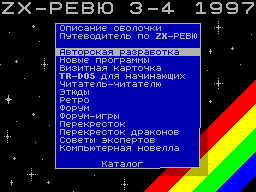
NEW PROGRAMS
(C) Ivan Roshchin, Moscow.
HELP_Z80
This unparalleled program is an electronic guide to the teams
microprocessor Z80. With it you can learn a mnemonic (and
its meaning), encoding an impact on
flags and run-time for
each command processor, and
and other useful information. HELP contains a description of
1136 teams, including the undocumented, is just 9 kilobytes,
and can work on ZX SPECTRUM with a storage capacity of 48
up to 512K.
A brief summary:
- As well as popular
debugger STS, HELP may be in any memory page
addresses # DB00-# FFFF, so
it can be used in conjunction
with any assembler. With its
HELP work does not spoil the value of
a single memory cell, excluding
himself and the screen area.
Thus, it is completely autonomous.
- Information about the commands of the processor can be
viewed as plain text. With the existing search tools easy to
find information about a specific team or to learn how to
decipher its mnemonic.
- You can write all the information on a disk in the form of
several text files total
more than 66K (eg, for printing).
- Have the means to communicate with the assembler /
debugger: for example, you write or debugging a program, and
when you press a certain combination keys on the screen appears
with background information on team, on which key is pressed.
In the description given detailed instructions on making
changes to the debugger STS (any version) to implement this
feature.
P.S. There is a version of this
program containing the integral
information on the teams process
Sor 6502. It can be used
to use in conjunction with the ac
Sembler TASM 4 by RST7.
1
2
********************************
(C) Davydov,
s.Zaprudnoe Nizhny Novgorod region.
CATALOG'S BASE v.1.8.
1. Purpose of the program.
The program is designed to
create card files software
software on the disk OS TR-DOS.
Speed up your file cabinets is determined, basically, the
time required for disc replacement in the drive.
Allows you to quickly determine
on which disk is one or
another program, if at least
know something about its name.
Data Buffer Size 30
KB, which pozvoyaet include in a single database information
about 250-300 ROM (2500-3000 files).
Data is stored on disk
in the form of a code file of variable length.
Supported operations
compare and merge the databases.
Can display information on
printer of any type.
2. Hardware requirements.
SPECTRUM-compatible computer with 48 KB of memory and
higher. The program does not use non-standard calls to the ROM
TRDOS and will work with any version of TR-DOS.
COMPATIBILITY WITH OTHER
PROGRAMS.
Initially, the program was written as a set of procedures
to facilitate work with the program DDB 2.0, author
SOKupriyanov, (c) 1991, almost only one similar to that
Time (1994). Therefore, the data structure is identical,
and can be downloaded and processed
file bdate2.0, created by the program DDB2.
3. Error handling.
In the event of erroneous
situations prints out the content
system variable ERR_NR
(23,610), and the execution of the current
Operation aborted.
With some typical mistakes instead ERR_NR printed
text about describing the nature of the error.
When downloading files, their structure is checked and when
non-compliance load is not performed. Available memory
information is not destroyed.
4. MANAGEMENT PROGRAM.
SINCLAIR, CURSOR, QAOP - menu navigation.
0, SPACE, ENTER - to select menu item.
EDIT (CAPS +1) - break
operation is being performed or the transition
to another menu.
For all press queries
press "Y" is taken as confirmation and any other key - for the
abandonment of the operation.
5. MENU.
In version 1.8 there are three menus, which can enter into
or selecting the relevant item
or by pressing the EDIT (CS +1).
5.1. MENU disk.
Appears immediately after downloading. Consists of the
following items:
"SEARCH" - opens the search menu.
"EDIT" - the edit menu.
"Change the file type" - for files,
created programs
me, I chose the extension
broadening "b", since,
Firstly, it has
something in common with the word
your BASIC PROGRAM, and
Secondly, I do not
met him nor the one
regular program. If
You have files with the
expansion are,
it can, in order to avoid
of confusion changing
it to any other.
"Selecting the drive" - A, B, C, D.
If you go away
to the desired key,
can ponazhimat on
any other, with
input is used
only two junior
bits. Completion TSBs
Yes - ENTER.
"Catalogue of the disk" - serves to
Mandu "CAT" TR-DOS.
"Comparison of the disc and the base" - CD
in the current drive
(BASIC - program and
MAGIC-files) are comparable
is called a data base
GOVERNMENTAL, located in
RAM computer. Pec
remains to the number of occurrences
of the filename and the EU
Does a file with this has
It is found, the name of the drive.
"Adding a Disk - information
tion of the BASIC-program
Max and MAGIC - files
disk in the current dis
kovode added to the
end database
and discs with owls
falling names can
can be unbounded
Noe number. If
name is added to dis
ka found in the database
data derived
request for authorization
add a drive. When
affirmative corresponding
those asked
necessary, remove
of disks with
the same name. When Oatka
else from adding you
holds the operation
comparison of disk and ba
Shl.
"Loading database" - with the current
drive loads
Xia previously recorded
file. In the absence of
the file on disk or
pressing ENTER without
enter the name displays
Xia list available
on disk files. When
Download is available at
memory information is not
destroyed, which
allows you to combine
database. Therefore,
if you want to
chat to work with but
curve database, you
Take in the edit menu
tirovaniya operation
"Cleaning the base."
"Writing database" - database will
children kept in the file
with the entered name.
"Comparison of databases - allows y
increasing of the exchange
on programs. So
I think that
practical interest
represent only
differences between the base
mi, prints the names of
files from the database, we find
dyascheysya on the drive to
torye not found in
base loaded in the
memory. With a large
number of coincidences
tions on the screen before
rather long time may
no output
with periodic on
increment to the drive.
Do not be afraid and do not cha
nites to the button "RE
SET ".
Enable (disable) the printer -
switching devices
properties of the output information
tion. When you turn
Printer information
printer output
in the same format as
and on the screen.
5.2. Edit menu.
"SEARCH"
"Disk" - go to
another menu.
"The names of the drives" - displays the names of
CDs included in the
base, and information about
number of free
sectors on them. If
number of free
sector looks
Strangely enough, it means that
Disk mutilated 9 th
Sector zero road
ki, and it's time to restoration
rehydrating.
"Removing the drive" - if you enter
instead of the name can be
use tune my
Since the search. Ver
hny and lower Regis
spectra do not differ.
When you click on ENTER
without entering a name will
FLS has printed
on the drive. For all
drives, the names of which
ryh satisfy the
satisfying condition search, shows
Xia request for removal
of the disk from the database.
"Information on the base" - the number of
files, disks and wasps
tatok free months
that in mind. Print
is also satisfied with
nenii most
operations with the base data
GOVERNMENTAL. In the next ver
siyah this function does not
be. I will give a constant
but displayed Institute
formational window.
"Sort Files" - after you
complement this operation
tion for printing discrete
Cove filenames
They will be displayed
in alphabetical order.
Return to the original
Therefore, the location is not
possible.
"Sort discs" - with the addition
lenii new drive to
the basis of information about it
located at the end
base. This operation
allows you to organize
base for the drive names
in alphabetical order.
With a large volume
base process can
markedly delayed,
Therefore, to avoid ka
It turned out that the computer
dependent, the buffer sorting
I've placed in the mounting plate
display area PA
cards, an organized and
SRI sorting eq
the wound will be depicted
huddle melteshaschie
band. Not very es
tetichno, but the print
how much otsor
preted, and how much
No, the speed of sorting
mounting plate will slow further
more.
"Cleaning the base" - Delete
information from memory.
Enable (disable) the printer -
switching devices
properties of the output information
tion.
5.3. MENU search operation.
"Printing" - displays all
database in the alphabet
Witney order in
filenames in the form
material: the file name, for
so the drive on which
torus we find this file
converges.
Print CDs "- is derived from
derzhimoe all disks
included in the base
data.
"Find file" - allows us to define
share the drive on which
rum is the required
my file. The requested
is called a model for
search. The upper and
lower case
taken into account, ie
modeled on the war may
be found in the files
"WAR GAME", "Star War"
etc. If you make
sample press ENTER
a blank line, you
holds the operation
"Print file".
Search CD "- on the same principle
CESG is displayed containing
zhimoe drive names
satisfy
required condition.
If you enter an image
sample press ENTER to
empty string, satisfied
varies Operation "ne
chat discs.
"The names of the drives" - displays the names of
CDs available at
base, and the number of
free sectors on the
them.
"EDIT"
"Disk" - go to
another menu.
Enable (disable) the printer -
switching devices
properties of the output information
tion.
6. Printer driver.
The structure of the driver and point
entry similar to the driver a text editor "ZX-WORD". If you
have one, you can use, but if not, then develop their own
drivers, might facilitate the following example of a printer
driver "EPSON", connected through the interface "ZX-LPRINT
III". Just do not Remember to provide control
"BREAK" and install the carry flag when you click "BREAK" in an
emergency pechatayushego device, otherwise the program runs the
risk of freeze at random "Switching" the printer is physically
not connected to the computer.
Entry point:
# 5B00 - treatment initiative
crystallization;
# 5B03 - how to print.
The maximum length of driver
256 bytes.
The structure of the driver:
140.
# 5B00 NOP
# 5B01 JR INIT; entry point
; ZX-WORD
# 5B03 PRINT
2
INIT - initialization routine
function that performs all training
tovitelnye action to
to the printer started
printing alternative to
bombarded. At this address ne
transmits control when you
complement Operation Enable
Printer.
PRINT - transfer to the printer symbol
ox, whose code is found
Camping in the battery.
Driver passes the following
Codes:
- Sequence # 0D, # 0Avozvrat carriage and line feed. On all
printers, descriptions I have seen the same codes are used to
print internal buffer of the printer. If you have to do a
different code, add it in the preparation of conversion tables.
- # 20 .. # 7E - special codes
characters and Roman letters to
standard ASCII, which coincides
decoder with SPECTRUM.
- # 80 .. # 9F - A, B, C, D, E,
G. .. S, I - the big Russian letters
in alphabetical order.
- # A0 .. # AF - a, b, c, d, e, e,
Well ... o, n - small Russian letters.
- # E0 .. EF - p, s, t. .. e, w, I
- Small Russian letters.
Not only me, but also in
EDITORe they are also absent. (In
ZX-WORD they are, but to gain
text it is not so convenient because
its 64-character). This letter, which is very similar to E
e, with only two points above.
The encoding of Russian letters is taken from the ZX-WORD.
6.1. EXAMPLE Printer Driver
"EPSON", ATTACHED TO
PARALLEL INTERFACE
"ZX-LPRINT III".
148.
ORG # 5B00
NOP
JR INIT
PRINT LD C, A
BUSY CALL # 1F54; control "BREAK"
JR C, PRN
SCF
RET
PRN IN A, (# 7B)
BIT 7, A; readiness check
JR NZ, BUSY; printer
LD A, C
OUT (# FB), A; installation bus
; Data
OUT (# 7B), A; the pulse
; STROBE
OUT (# FB), A; end STROBE
; For your printer I had to put a slow down cycles
, At the beginning and end of STROBE, otherwise disrupted
synchronization , Although in the software ZX-LPRINT III made it
; So.
XOR A; Reset carry flag
RET
INIT LD A, # 1B; reset printer
CALL PRINT; device. (Codes
LD A, # 40, drawn from descriptions
JR PRINT; 3 EPSON LX-800)
2
6.2. EXAMPLE COMPILATION
Conversion table.
And another example of a conversion
abstract printer driver that has an arbitrary code table.
Written for a very novice programmers. Others can not read.
Between comments like
; --------- V-N
; ---------^- N
enclosed fragments of the program,
applied to specific circumstances, depending on the type of
printer, which in other cases should be excluded.
140.
ORG # 5B00
START JP INIT
PRINT CP # 20;
JR NC, C_20_7F; printed
And symbol
; ------------------- V-1
CP # 0D
JR NZ, EXIT
And if the printer is on-line auto-translation mode
; (Skipping # 0A)
; ------------------- V-2
LD A, CR; instead of CR - carriage return code
; This fragment was unrealistic for the case when the printer
has ; Different from the conventional code a carriage return.
; ------------------ V-2 .1
CALL PRN_A
LD A, LF; instead of LF - code ne
, Maps the line (if
; Required)
; ------------------^- 2.1
; -------------------^- 2
JR PRN_A; output bytes from ak; kumulyatora Printer
; -------------------^- 1
EXIT XOR A; Reset carry flag
RET
C_20_7F CP # 80
JR NC, C_80_AF
; ------------------- V-3
LD HL, TABL1-# 20
LD E, A
LD D, 0
ADD HL, DE
LD A, (HL)
; Also unlikely case where the printer complete
; Discrepancy with the standard ASCII
; -------------------^- 3
JR PRN_A
C_80_AF CP # E0
JR C, SEARCH
SUB # 30
SEARCH LD HL, TABL2-# 80
LD E, A
LD D, 0
ADD HL, DE
LD A, (HL)
; ------------------- V-4
PUSH AF
CALL RUS;
POP AF
; If you want to send a printer code sequence
; To enable the Russian font.
; ------------------^- 4
CALL PRN_A
; ------------------ V-5
CALL LAT
; Restoring character generator Roman font.
; ------------------^- 5
RET
PRN_A; Sub-transfer printer code from register A.
; Depends on how you connect the printer, so write
; Something universal is impossible. One example is given
; In the previous section.
;
INIT; Sub initialize the printer. Depends on the type of
; Printer and how it is connected.
; ------------------ V-6
RUS LD A, CR_1
CALL PRN_A
LD A, CR_2
CALL PRN_A
; .............
; .............
LD A, CR_N
JR PRN_A
; Sub switch the printer on the Russian font. CR_1,
; CR_2, ... CR_N - a sequence of control codes for
; Switching character generator. Substitute the desired number.
; ------------------^- 6
; ------------------ V-7
LAT LD A, CL_1
CALL PRN_A
LD A, CL_2
CALL PRN_A
; .............
LD A, CL_N
JR PRN_A
; Sub switch the printer on the Latin alphabet. CL_1,
; CL_2, ... CL_N - a sequence of control codes for
; Switching character generator.
; -----------------^- 7
; ----------------- V-8
TABL1 DEFB ... , 95 bytes - code table printer
; Appropriate decoder ZX-SPECTRUM codes # 20, # 21,
; ... # 7E. The need for it is unlikely anyone will.
; -----------------^- 8
; ----------------- V-9
TABL_2 DEFB ... , 64 bayta - table code printer
; Corresponding Russian letters A, B, C, D, E, G, H, ... E,
, U, X, a, b, c, d, e, f, g, ... I.
; ------------------^- 92
P.S. Text typed in editor
ZX / IBM Text Editor ver 1.0 (c)
Hohlov Oleg, formatted ZXWORD v 2.5m (c) Yeliseyev, Kokunov.
For the program used HELP TEXT DESIGNER v 1.0 (c) Plyasunov
Dmitry.
Inscription in Latin symbols borrowed from
ZX-ASM 3.
Music written by a group
Smash Soft (application to demonstrate the "DISCOMANIA").
In developing the program borrowed some of the procedures.
To print a double-height use the procedure described in the
ZX-REVIEW 95 / 2, p. 40 (c) Michael Hubble.
To separate window for printing
menu, use the procedure,
similar to that described in the book
Publishers "Peter" How to write a game in assembly language. "
The remaining match with the machine code of other programs are
accidental.