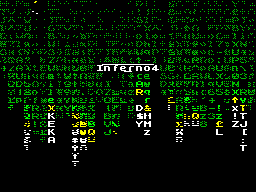
ChAOS
Vitamin
ChAOS (C) is a graphical
wrapper for the disk system TR-DOS.
Its main features:
-Preemptive multitasking
Up to 16 processes in real
To 24-thread interrupt
-Window environment
Up to 16 windows (*)
-Based communications dispatching
Support all major memory standard
up to 1 megabyte (**)
Support any media,
compatible with TR-DOS
, Much more ...
-----------------------------------------(*) Type for each
application window. But I I do not think you can run 16
processes:) expansion is possible, but gemorrno ...
(**) Without any problems growing up
16384 * 256 = 4MB
!!!!!!!!!!!!!!!!!!!!!!!!!!!!!!!!!!!!!!!!!!
People! I want you to know that
Spectrum you really do not pisyuk where multitasking is
provided at the hardware urovne.Poetomu things do not work as
quickly as we would like (but faster than expected
:), And the reliability of the system leaves much to be desired
- can not call the Left procedures or inaccuracy in the code
will hang you the whole system (in the best case, just to
brake, as is the case with a simple looping).
!!!!!!!!!!!!!!!!!!!!!!!!!!!!!!!!!!!!!!!!!!
Legend
----------
Application, the process - a task performed
in real
Thread, yarn - a resident interrupt
Home - Bank of the upper memory
Block - the memory of 256 bytes at the bottom
Memory
The upper memory - pages that are to
Address # C000
Lower memory - the memory addresses
# 8000 - # BFFF
All necessary constants and names are described
in file CAPI.W, which is located in the annex.
++++++++++++++++++++++++++++++++++++++++++
+ Warning! I apologize +
+ People who sharyat in programming +
+ Vania under Windu for some nesootve +
+ Tstviya in terminology and the names of func-+
+ Ktsy. +
++++++++++++++++++++++++++++++++++++++++++
How it works
(And running at all?:)
------------------------
In this shell is implemented preemptive
(True) multitasking. As probably
Many guess scheduler hangs on interrupts and tasks themselves
are executed in native mode. Each process has its own stack,
your code and your windows. One of the properties of the
process is its priority, which determines the time that
process is guaranteed to be able to work
as long as it does not interrupt the scheduler.
A graph of the process:
+ -> Works ----- - + +
| ^ | |
-Start ---> + | | + -> Output ->
| | V |
+ - Blocked - +
In other words, the process can be created
zablokirovannym.Dlya continue its work
lock must be removed by another process.
Planner cycle through all running processes, giving them all an
opportunity work. In addition to the scheduler interrupt
satisfied:
-Drawing arrows
Poll of the keypad
-Execution threads
The process can be removed from the execution of
the following reasons:
-It sent the message window to close
-He made a mistake during the call the system functions facil
-He was shot by another process
-It ended in good faith
Handles
-----
Each object in the system, whether it be a window
file, or thread, when you create is assigned
unique at the moment the identification code by which to
determine the type of object and its svoystva.Etot code is
called handle. Physically, he is represented as
computer word, where the high byte
denotes the type of object, and the younger - his number.
Application structure
-------------------
AppDescriptor application descriptor
AppStart entry point to the application
SPRITE print buffer (2k).
If nothing prints,
You can overwritten.
Scope of AppDescriptor to AppStart busy as application data and
system variables. Please do not go there to climb.
Scope of AppStart application to SPRITE
can use at their discretion.
In order that the process can communicate with the system, it
must register itself under the at least one window. It can be
seen on the screen, but it is necessary to obtain
messages. (In principle, it is possible two processes
hang on one window, only between
must be a connection.)
The main parameters of the application
serve as its priority, flags, and icon. All
It is situated in the description.
The application should consist of three parts:
Partition initialization
-Cycle of receiving messages
-Message Processing
Each application takes a page in high memory and one block in
main memory stack. When launched, control is transferred to
AppStart with the handle of the application. Low byte handle
defines page, where it is (its number). message loop receives
messages for this Annex okna.Esli several windows, then the
cycles must be implemented for all windows in turn. If no one
window does not receive actual sooobscheny, you can skip the
time slice, giving an application by passing it drugomu.Tsikl
consists of three parts:
Inbox messages
-Treatment (standard or not)
-Reply message
Restrictions on the applications:
-You can not reassign the stack to the top
Memory
-Remapping of the stack to provide
reserve 22 bytes
-You can not deny and allow interrupts
-You can not reassign the interrupt vector
-Use non-standard functions are not
guarantees the stability of the application
-When sending a message wmClose Chief
application window is to be made
Exit application
-Values of windows, applications,
filaments described in the code may not match
with their importance at this time.
To update the data should be used
special features
-Need to check the result of functions
query memory, windows, threads, etc.
Memory
-----
The system provides memory management functions of two types:
block and page. An application can reserve for your
handle blocks or pages. When it is closed
all occupied by its previous memory is freed and can be used by
other applications. In the system of two types of pages - pages
of code and data pages. The difference is that the pages of
code can be not more than 16, and they stand out from the
beginning memory, a data page can hold
the rest of the upper memory area and highlights
they have since the end of memory. The number of available
pages is determined by the choice of driver
memory.
Memory Card
# 5e00 System kernal
# 6000 Variables
# 8000 Buffer. Used for stacks
residents, etc.
Most of it is occupied by the system -
code is very great:)
Attachment # c000
Windows
---
The windows are a key element of the application. Creating a
window consists of several stages.
-Register okna.Sistema returns the handle
created window.
-Create formy.V memory area stipulated Noah during
registration, create a graphic image window corresponding to
the described nomu. The system supports skins, makes it
possible that returns to change the look of windows.
-Construction of the window. To form fit all described
components. The flexible system allows us to create various
components. The map window. Appears on the screen
Create the window.
Then, the cycle of receiving messages and
obrabotka.Dlya their work with the components of the window is
a function of determining which component is now activated, and
what to do.
Yarns
---
Thread is called small protsedurka, which is called every
preryvanie.Ona must be fast enough so as not to hinder the
establishment sistemu.Pri thread shows the parameters -
activity thread and its residency. They are used mainly for
timing, processing small amounts of data.
Peripherals
-----------------
Keyboard. Used to control
arrow and the text entry informatsii.Imeetsya buffer for 32
elementa.Rusifikatsiya by a separate thread. Mouse. Supported
by the standard three-button Kempston mouse. Joystick. Here and
say nothing:) Drive. Supports up to 16 disks. By
default, the first 4 serves driver
# 3d13 processing oshibok.Cherez additional drivers can use
other carriers (such as RAM-Disk'a), Max
volume - 1 Mb. (256 tracks of 16 sectors
256 bytes).
Music coprocessor. There are no restrictions on its use
net.Esli multiple applications simultaneously, try to play
music, there will be distortions in the form of cod.
Shared libraries
----------------------
To extend the functions of the system uses dynamic
biblioteki.Esli application makes a request to connect to any
library, which until then was not used, then there is an
allocation of memory under this library and its load, as well
as registration of the calling application as a user of the
same biblioteki.Esli such a library existed before this in the
system, then a new application simply connects.
An application can use the library
independently. In this case, it is itself
must load the file into memory and perform initialization. When
you call the standard initialization functions automatically.
Files
----
There are three levels of the disk:
symbolic access to files, work with the entire file and use the
functions drivers. When a character access to open file for
read or write and read and write to the file byte by byte. In
the buffer memory is organized for the file and counter access.
Access must be made within length of the file. When working
with whole files entry occurs directly on the disc, with
This file is not registered in the system. Record file may
occur in different ways. If a file with that name already
exists, the system can overwrite the existing file new.
Recording can also be carried out in an empty area of the
disk occupied by the deleted files.
Object Properties
----------------
Below are listed the properties of all objects in the system
and some values that These properties can prinimat.Esli
states that is required, it is possible to use only one value
of the possible, and if possible combinations, all constants
described below can be used in any order using radix
conjunctions (OR, |).
The description will be used by the so-called "Hungarian entry.
This means that on a variable name, or rather by its prefix,
You can find out the type and takes place in
memory.
Prefix | Type | Size
--------+--------------+---------
b | byte | 1 byte
w | word | 2 bytes
p | Index | 2 bytes
ps | Index | 2 bytes
| On line |
im | Image | 9 bytes
| 8x8 pixels |
| Attributes |
hdc | handle | 2 bytes
Eg. Partly bLeft - variable
type B, and psText - pointer to a string.
All strings are ASCII-encoded with the following additional
code:
26/27 on / off bold
28/29 italics
30/31 underline
0.13 end of the text.
8 tabs with a step of 32 pixels
Process.
++++++++
Process handle is in the header.
Here is its structure:
psText address the application name, up to 14
characters.
wStack Stack, initiated by the system.
bPriority process priority. Possible
Range:
PRIORITY_IDLE
PRIORITY_NORMAL
PRIORITY_HIGH
PRIORITY_REALTIME
bCounter internal variable.
bFlag Flags of the process. The value of flags:
APP_IS_ACTIVE process is active;
APP_NO_BUTTON no buttons
taskbar;
APP_TRAY_ICON icon in the tray;
APP_IS_HIDDEN hidden process.
imIcon application icon.
wKeyDown Pressing the button at the moment.
wKeyPres internal variable.
bInMode input mode. Flag values:
RUSSIAN_LNG
INSERT_MODE
Thread.
+++++
Descriptor only exists in the system.
Properties are defined when creating the thread.
Window.
+++++
Format descriptor:
bLeft window coordinates in familiarity.
bTop
bWidth window size in familiarity. Window
must fit on the screen.
bHeight
bStyle window style. Flag values:
WINDOW_HEADER the window is
title;
wINDOW_HIDDEN window is not visible on
screen;
WINDOW_ON_TOP window on top
other windows;
WINDOW_CLOSE a button
"Close";
WINDOW_MINIM a button
"Collapse";
WINDOW_SYSMNU there is an icon in the
title;
hdcParent handle of the application of the owner
this window.
psName caption in the title.
pSprite Sprite window.
pDescript this description.
bCursor an arrow as it passes
above the window. Possible values:
cArrow usually an arrow;
cHGlass hourglass:
cHand hand.
pObjects Objects window.
If there are multiple windows on the screen, for
whose flag is set WINDOW_ON_TOP, they
are displayed in order of precedence, handles,
except for a window with the handle 1 (taskbar).
Sprite window is an array of familiarity with the attributes.
The total memory footprint window, defined as follows: Size =
width * height * 9.
Objects window.
+++++++++++++
Format Descriptor objects:
db ObjectType
dw Adress
...
db -1 end of the description.
At Adress are descriptors
objects of one type of order. Ends
transfer of bytes 255.
All object coordinates relative to the upper-left corner of the
window.
Object: Text
Type: TLabel
Format descriptor:
bLeft Left Indent in pixels.
bTop away from the top of familiarity.
bWidth width of the text in pixels. If
0, defined in the text.
bStyle text style. Flag values:
fNormal normal;
fBold bold;
fItalic italic;
fUnderlined underlined:
fBackColor as
background using
call of the system
color.
spText text.
Object: active zone
Type: TZone
Format descriptor:
bLeft coordinates and size in pixels.
bTop
bWidth
bHeight
bFlag flag zone. Permissible value
BLOCKED.
Object: The image
Type: TImage
Format descriptor:
bLeft Coordinates in familiarity.
bWidth
pSprite data.
The format of the sprite.
db width
db height
db flag; 0 bit - mask
1 bit - the attributes
Next come the data in the format of 8 bytes of data
familiarity +1 bytes of attributes. (in the case of the mask
bytes are alternated, starting with a mask. Y Attributes also
have a mask.) If no attributes, then one familiarity 8 / 16
bytes.
Object: Button
Type: TButton
Format descriptor:
bLeft coordinates and width znakomes
max.
bTop
bWidth
bFlag permissible BLOCKED.
psText inscription on the button. If 0,
no text.
Text on the button will automatically center.
Object: Switch
Type: TCheckBox
Format descriptor:
bLeft coordinates and width znakomes
max.
bTop
bWidth
bFlag Valid flags are:
BLOCKED
CHECKED
psText text immediately after the switch.
Object: Radio Unit
Type: TRadioButton
Format descriptor:
bLeft coordinates and width znakomes
max.
bTop
bWidth
bFlag Valid flags are:
BLOCKED
CHECKED
psText text immediately after the switch.
Parameters are the same as that of the switch.
This descriptor provides one switch. Each separately described
the group of switches in WindowObjects is a related group.
Object: scrollbar
Type: TScrollBar
Format descriptor:
bLeft coordinates and size in znakomes
max.
bTop
bSize
bFlag Valid flags are:
BLOCKED
VERTICAL | HORIZONTAL
wItems Total items in the list.
bViewItems perceive at once.
wVariable Utilities variables.
wPosition position of 0.
Object: trekbar
Type: TTrackBar
Format descriptor:
bLeft coordinates and size in znakomes
max.
bTop
bSize
bFlag Valid flags are:
BLOCKED
VERTICAL | HORIZONTAL
bMax number of positions.
bPosition position from 0 to bMax-1.
Object: editor
Type: TEdit
Format descriptor:
bLeft coordinates and size in znakomes
max.
bTop
bWidth
bFlag Valid flags are:
BLOCKED
edOldIndex
edKeepFocus
bLength Length of edited text.
psText text.
edOldIndex - use the old position
kursora.Obychno it varies according
with the place at which the arrow.
edKeepFocus - not to lose the input focus when
switching windows.
List of CAPI-functions
--------------------
Arithmetic functions.
+++++++++++++++++++++++
Legend:
rr1-> rr2
^ ^ ^
result
^ ^ ^
original data.
rr1 <- raw data.
rr2-> result.
HL (X, Y) - in case H-x, L-y.
Calculation function addresses:
D_HL_
D_DE_
U_HL_
U_DE_
ATR_CONVERT_-address in the display area
translates the address attribute
appropriate familiarity.
HL-> HL
COOR_Z_-calculation of the addresses in the screen on
familiarity.
HL (X, Y) -> HL
COOR_ATR_-calculation addresses the attributes of
familiarity.
HL (X, Y) -> HL
COLOMN_-calculation of the addresses in the screen on
pixels.
B (Y) -> HL
MULS_-multiplication
HL = H * A
MULT_ HL = DE * A
Mult_ HL = B * C
SQRT_-square root
(C) Cardinal / PGC / BDA
HL-> HL
Sqr_-square
HL = L * L
DIV_-division
HL = HL / DE
Div_ DE = DE / BC to rounding.
STR_-translation of a string:
DE-address text;
c = 0 A-> (DE)
c = 1, HL-> (DE)
VAL_-Thong translate into a number.
(DE) -> HL conversion goes to
meeting of a character not equal
digit.
Graphics functions.
++++++++++++++++++++
ClearRect_-cleaning rectangular
area in the window.
BC (X, Y)-dimensions
familiarity;
HL (X, Y)-coordinates on
window;
IX-handle to the window;
A-fill color
attributes.
EmbedSpr_-introduction of a sprite in a window.
DE-address data;
HL-handle of the window;
BC (X, Y)-coordinates
relative to the window
EmbedButton_-introduction of the buttons in the window.
IX-handle to the window;
HL (X, Y)-coordinates on
window;
DE-address text;
B-width.
EmbedCheckBox_-introduction of the switch in
window.
IX-handle to the window;
HL (X, Y)-coordinates on
window;
DE-address text;
B-width;
A-flag.
EmbedRadio_-introduction of the component
Radio Unit of the window.
IX-handle to the window;
HL (X, Y)-coordinates on
window;
DE-address text;
B-width;
A-flag.
EmbedScrollBar_-introduction of the scrollbar in
window.
IX-handle to the window;
HL-address descriptor
this object.
EmbedTrackBar_-introduction trekbara the window.
IX-handle to the window;
HL-address descriptor
this object.
PushButt_ - "click" button 1x1
familiarity.
DE (Y, X)-coordinates on
screen.
PushButton_ - "push" button.
HL (X, Y)-coordinates on
screen;
B-width of familiarity.
Working with text.
+++++++++++++++++
GetTextWidth_-find width of text in the
pixels.
DE-> A
ClearBuf_-Cleaning the print buffer on the
256 pixels.
HL, DE, BC-preserved.
OutTextXY_-text output to the screen
specified coordinates.
DE-text
HL (X, Y) - coordinates of print
C-print width in pixels
(0 - unlimited).
A-style text
IX-window handle.
WriteTo_-output text to the clipboard.
HL-buffer address.
X_P-indentation.
All other parameters
are the same. Clipboard format
screen.
Editor_-text editor. If mouth
installed a flag edOldIndex, then
input cursor is in
old position, or - in
place specified cursor.
If you lose the window of focus
input is checked
Flag edKeepFocus. If he
set, the input mode
preserved, otherwise occurs
return leads. Function ISPO
box is used the current input mode,
and when you noncharacter
keyboard shortcuts are
output window, sending community
absorption wmUser with depression
keys as a couple
meter. When you change the length
editable text all
the remainder of clogging
zeros.
DE'-handle of the window;
HL-mail facility;
DE-coordinate direction
relative to the window;
Window functions.
++++++++++++++++
To store information about the windows in the system
There are two buffer - the buffer descriptor where
stores all the information about the windows that exist
currently in the system, and the z-buffer which stores the
order in which windows will be displayed. Place the box
on top - his last show, respectively, over all possible windows.
Check the correctness of the handle is not, so be careful.
CreateWindow_-registration window.
IX <- handle;
HL-> window handle, or -1
If an error.
GenerateWindow_-drawing of the windows in
image buffer.
HL-window handle.
ChangeWindow_-change window.
Is copied
descriptor from memory into
system table and
repaint all windows.
HL-window handle.
SafeRepaintWindow_-repaint window
taking into account the location of
These arrows.
HL-window handle.
RepaintWindow_-just repaint
window.
HL-window handle.
QuickRefresh_-fast redraw
of the screen.
It is used in
moving window.
DE (Y, X) - the old coordinates
coordinates of the window
which should
be
top of the list
Refresh_-redrawing the screen.
KillWindow_-remove the box from the table
descriptors.
HL-window handle.
KillWindows_-delete all the windows
this application.
HL-handle to the application.
BuildWindow_-a conclusion on the shape of objects
window.
HL-window handle.
TestObjects_-verification of the window.
HL <- window handle;
DE <- coordinates of the arrow
in pixels.
HL-> address of the facility
which indicates
arrow;
DE-> coordinates of the arrow
A-> object number;
C-> type of object.
ProcessObjects_-standard process
response object.
It is used in a pair
with TestObjects_
HL <- address of the facility
which indicates
arrow;
DE <- coordinates of the arrow
A <- object number;
C <- object type;
DE '<- window handle.
FindFirstWindow_-find the first window
application.
HL <- the handle of the application.
A-> window number (junior
part of the handle).
GetFocus_-move the window on the
top of the list boxes.
HL-window handle.
WinOnTop_-move the window on the
top of the list of windows and
redraw the screen.
HL-window handle.
WinMinimize_-clean window screen.
HL-window handle.
WinRestore_-restore window on
screen.
HL-window handle.
MoveWindow_-move the window.
HL-window handle.
GetWindowStatus_-update window handle
from the descriptor table
HL-window handle.
GetIX_-take the address of the descriptor
window table
descriptors.
HL <- window handle;
IX-> address descriptor
(16 bytes).
GetIXA_-take the address of the descriptor
window table
descriptors.
A <- number of windows;
IX-> address descriptor
(16 bytes).
IfOnTop_-check box.
HL <- window handle;
A-> result:
0 - box at the top of the list
-1 - Not the top.
GetAdr_-taking the address in the sprite
window coordinates.
HL (X, Y) <- coordinates;
IX <- window handle.
HL-> address in the sprite.
DE, BC-preserved.
Working with memory.
+++++++++++++++++
For memory use system
functions, since they are designed to interrupt their work and
recovery in the sequel. If the result of query functions memory
returns -1, it means that the backup memory proizoshlo.V this
case, you can use the repeated requests of the photon, so as
not to slow down the system, or output from the application.
Page_-switching pages.
Is the current
driver memory. When
access to the forbidden
memory area
an error occurs.
A-sequence number
page.
SetDriver_-driver installation
memory.
A-mPent128 | mScorpion
| MPent512 | mProfi.
GetSysPage_-Reservation
system page.
HL-> handle created
application.
GetPage_-page book
data.
HL <- the handle of the application;
A-> page number.
FreePage_-free stranitsu.Esli
application attempts to
free foreign
page, there is a
error.
HL <- the handle of the application;
A <- page number.
FreePages_-release of all pages
this application.
HL <- the handle of the application.
GetBlocks_-Reservation lower
memory.
HL <- the handle of the application;
B <- number of blocks;
HL-> memory address.
FreeBlock_-free blocks
lower memory. If
application attempts to
free alien memory
an error occurs.
A <- number of the beginning of the block;
HL <- the handle of the application;
B <- the number of
vacated units
FreeBlocks_-release the entire lower
memory applications.
HL <- the handle of the application.
GetByte_-take a byte from the top
memory.
A <- page number;
HL <- Address;
A-> data.
GetFreeBlocks_-free number to learn
blocks at the bottom of memory.
A-> number of blocks.
GetFreePages_-free number to learn
page top of memory.
A-> number of pages.
Working with processes and threads.
+++++++++++++++++++++++++++++
KillTask_
ExitProcess_
RunApplication_
CreateProcess_
KillProcess_
SkipQuant_
CreateThread_
KillThread_
KillThreads_
GetAppStatus_
SetAppStatus_
SuspendThread_
ReleaseThread_
Working with files.
+++++++++++++++++
FindFile_
ChangeSector_
Flush_
ReadFile_
DeleteFile_
ReadCat_
DosFunc_
GetFileData_
SaveFile_
SaveCat_
Working with an arrow.
+++++++++++++++++++
GetFireStatus_
Wait_On_
Wait_Off_
Arr_Yes_
Arr_No_
PRINTS_
RESTS_
KEYS_
System functions.
++++++++++++++++++
SendMessage_
GetMessage_
DispatchMessage_
TranslateMessage_
Exit_
IncludeLibrary_
ReleaseLibraries_
Working with external devices.
+++++++++++++++++++++++++++++++
ShutAy_
KeyOn_
KeyOff_
GetKey_
PutKey_
SetIm2Mode_
SetIm1Mode_
System installation.
Driver memory;
-List of the available control devices
(Mouse, joystick, ...);
-Installation of external devices;
-A list of disk drivers;
List-resident programs;
Systemic-schedule;
-Color;
Setup explorer:
Startup programs (*);
-Desktop (icons, wallpaper, ...);
(*) May have to hang a autoloading
into the system.
Possible resident programs:
-Crack (*);
The driver wheel mouse:
Types of programs:
. Run a standard application
. Dll library. Loaded into the main
memory and initialized.
Is registered in the system.
. Thr thread. As a parent acts
process that started it.
Recorded by herself.
. Drv Device Driver. Actually
could be anything. The main
memory space allocated for a file and
control is transferred to the top of the code.
All further operations produces
himself. As the handle to indicate
system.
Ed.
Well, now bring to your attention the front part of the body
chaos because than screenshots we offer you more
neither of which can not.