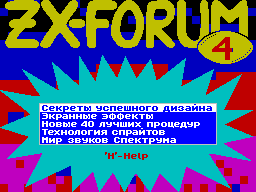
Description of the shell

           electronic edition

               "ZX-FORUM 4"


Music by ZET

(C) Ivan Roshchin 20/11/1997


    Shell ZX-FORUM 4 can operate at
any SPECTRUM-compatible PC with
the presence of TR-DOS (any version) and at least
48K of memory (if there is 128K of memory, it
will also be used). Members
AMIGA and PC can read the log using
any emulator that supports the TR-DOS
(Shell only uses standard
entry point into the TR-DOS at 15,635).

    Any article can ship to the disk
standard format (a modified alternative encoding GOST), and
then, for example, to print the files. Because of this ZX-FORUM
4 is available and not having a computer reader.


                Management:

1) When you select a partition from the Actions menu

   joysticks SINCLAIR, CURSOR, and

   the following keys:

 Q, S, CS +3 (TRUE VIDEO) - the movement to

     previous section;
 A, X, CS +4 (INV. VIDEO) - the movement to

     the next section;
 O - move to the first section;
 P - move to the last section;
 ENTER - View the selected section.

2) When viewing a selected section

   except joysticks SINCLAIR and CURSOR,

   The following keys:

 Q, S, O, CS +3 (TRUE VIDEO) - Previous

     page;
 A, X, P, CS +4 (INV. VIDEO) - Next

     page;
 E, BREAK - exit the menu;
 CS + SS (EXT.MODE) - new calls

     following menu:


       Scrollbar G

       Change text color C

       Turn off the music M

       Enable Screen Saver CS + S

       Output mode numbers: NO SS +3

       Font 8x8 -> 6x8: YES SS + F

       Record screen to disk SS + S

       Write text to disk SS + T


    To exit the menu, enough to push EXT.MODE (as well as BREAK
or E). As you can see, right from
notation sub-menu items are listed as
called "hot keys" using
that you can quickly activate the appropriate item (do not even
need to enter the submenu).


    Consider in detail all of the
in this submenu items:


    Scroll bar (called by pressing G) allows you to quickly
move to any place in the section. Shaded area corresponds to
the band portrayed on the screen of the text. Management is
carried out following keys:


  Q, S - move one page back;

  A, X - a page forward;

  O - to the top of the section;

  P - by the end of the section;

  ENTER - go to selected page

      section;

  BREAK, E, G - repeal.


    It is convenient to call the scroll bar to
To find out how far you have come to read the section: press G
- see the scroll bar, again pressed the G - band disappeared.


    Change the text color (button C). This
option allows you to set the most convenient for you to text
color.


    Enable (disable) music (key
M) - performs the appropriate action.


    Enable Screen Saver (shortcut CS + S). Prevents screen burn
monitor. If about 5 minutes, do not press
on the keys, Screen Saver will turn itself.
Exit by pressing any key.


    Output mode numbers (combination of keys
SS +3). As you know, in some sections
ZX-FORUM 4 shows examples of different
procedures in assembler. In this regard,
shell was built the opportunity to choose
convenient way to represent numbers in such
Procedures: decimal or hexadecimal.


  DEC-all the numbers in the program will automatically
       cally converted to a decimal

       mind;

  HEX-all the numbers in the program will automatically
       cally converted to the sixteenth
       Hex Number mind;

  NO-conversion is performed.


    Record screen to disk (a combination of
Keys SS + S). When selecting this option the display memory is
written to disc. You can select any drive and file name (when
you type a file name You can use keyboard shortcuts SS + Q

- Go to the top of the name and SS + E - switch
by the end of the name). To refuse entry, simply press BREAK.
If you find that file with that name already exists on disk, a
message appears. You can overwrite the file key (Y)

or refuse to record key (N).


    Font 8x8 -> 6x8 (shortcut
SS + F). This menu item, I think, requires no special
explanation. Try using it yourself and understand everything.
Typically, when using the 6x8 font readability is greatly
improved.


    Write text to disk (a combination of
Keys SS + T). With this item you are
can be written to disk the contents of the preview section in
the form of plain text files. Recording file size limited to 14
bytes, and therefore more sections of the magazine consists of
several parts. To write such a partition, you Go to the top
section and write the first part, then go further in the text
and write the second part, etc. Number is recorded of this
section and the total number parts in this section are
displayed on the screen. To move quickly on the text

convenient to use the scroll bar (called by pressing G).

    No need to manually dial Listings
listed in the ZX-FORUM programs. Enough to write to disk as a
text file of the section, which contains the required program.
If you use the assembler ZX ASM or the other, allowing upload

files in standard text format that can only boot. Otherwise,
the file still needs to be recoded.

    If you record the screen or text on
drive, and you have only one drive can
happen that during podgruzki next section in the drive will be
"outsider" disk. In this case, do not worry does not happen,
just ask and Speccy you insert a disc with a ZX-FORUM.


             The authors of the shell


    Codes: Ivan Roshchin

    Graphics: Ivan Roshchin

    Music: sections "Description of the shell,
"Screen Effects", "New top 40 procedures," "Technology
sprites," "The world of sounds Spectrum "- ZET (Eugene
Leshchuk) section "Secrets of Successful Design" - ZET and
MITCHELL (Eugene Leshchuk and Vladimir Anshukov).


                *