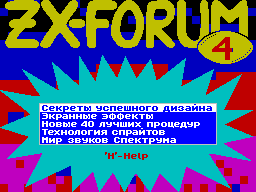
TECHNOLOGY Sprite

   COMPUTERS FOR FAMILIES

      SINCLAIR ZX SPECTRUM


    (C) 1997, Fes'kov Kuzma


           TABLE OF CONTENTS

 1. Introduction.
 2. Hunting (search for sprites in the space
    grams and their analysis).
 3. These different sprites.
 4. Mask.
 5. Structure sprite blocks.
 6. Preparation of data for printing
    TUE.
 7. Print sprites. Coordinates

    given in familiarity.
 8. Print sprites. Coordinates

    specified in pixels.
 9. Review of programs.
10. Conclusion.


            INTRODUCTION


   The reason for writing this
book served as my job to
Editor's creation of sprites. Of course, in the process of me
had read a lot of different literature, as well as review a
bunch of programs. It would be crime to keep themselves so
much, in my opinion, useful information.

   In this book, I'll talk about methods of storing sprites,
that What is the mask which programs print there.


   What is a sprite? In our
If this is some kind of graphical
object. To make it clear
I will say that an ordinary symbol
computer, which is written
the text is a sprite, then
have some graphic that in this case, size 8
by 8 points. Man, bouncing
on the screen, which you so valiantly
control of the game, too sprite.
Saver program that appears on the screen at startup
program is also a sprite. Here I have listed to you
several kinds of sprites, but if you're a little bit before
that there were familiar with the internal arrangement of a
computer, familiar with how data is stored in memory,

able to say that the above sprites have different
structure, and yet I call
them in one word - sprites. Yes, in the
world of sprites all is not easy, as they say, if anyone is in
that Gorazd; purpose of this book - to compile this information.


   Because the format of sprites
so different, then, probably,
programs that allow them
print on the screen, too different? Yes, even as here at all
dense forest, if the format sprites somehow standardized, then
each print program creates what he wants and Here you will have
to decide for themselves that it is better for your program and
I same for its part try to describe all known

my ways.

   Technology for creating sprites
as complex, and there you will plunge into a huge sea
Programs offering their services to create sprites. Apparently,
you have to be determined with the format of sprites in
accordance with those programs that exist in your collection. I
will recommend you some programs to create sprites in various
formats.

   Well, let me now
navigate to specific information.