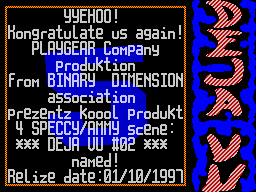
Edition: The Pagan / PG
__________________________________________


                  *


 WARNING: AMIGA VIRUS IN PROGRESS!!!


   Notorious view that the virus-writing privileges exclusively
of owners of IBM PC and such, divorced from reality exactly

As much as this as possible. Therefore, I hasten to happy happy
Amigo owners - may come a time when some cute AMIGOVSKY VIRUS
will visit your hard drive and destroying your nemeryannom
useful information and non-reducing nerve cells.


    But fortunately for the AMIGA WORLD'a in
It also has its Lozinski and Kaspersky
- Antivirus mighty handful out on the trail
War. And it should be noted, went well.
Zabugornye user to know quite a lot
anti-virus packages: VIRUS CHECKER, LINK
VIRUS DETECTOR, VIRUS Z II.


    But the most famous, though, of course, this can be argued,
is MVK or Master Virus Killer of different versions. This
package combines the best qualities antivirusnika-recognition
order 3000 virus (and new versions of all

more) different methods of information protection against
infection until the installation disc special security program,
high level of service and information provided; reliability at
work and careful maintenance of disc-this is quite enough for
you to sleep!


    Now it's time to tell you about
how to protect your precious information from the onslaught of
viruses and how to deal with MVK with those of them who

still wandered on your drives. To start
a couple of tips to help you protect yourself from the
"contagion":


    1) Always keep with the establishment of write protection
unless they specially selected by you for writing. After

all must be aware that information protected discs can be
written only with really sharp claws that

or teeth, in other words not using the drive.


    2) AVOID USING PIRATE SOFT'OY because is the primary, along
with computer networks, a way of spreading viruses.


    3) CHECK THE DISCS BEFORE BROWSING their catalog or the Run
with them PROGRAMS, because who knows, maybe you one in

world remained free of viruses on the 'screw', and
others with envy and want you to put a pig, but then not one.

 When you take into account the third board and have to use the
MVK. That it will help you keep the wheels intact. For

that it provides for the following
Features:


  Virus of RAM

  Check Disk, boot sector

                 AND FILE

      DIAGNOSIS AND TREATMENT OF VIRUS

  Burn to disc ANTI-VIRUS SOFTWARE

          RAPID RESPONSE


    Choose exactly what you steps you can
in the working window MVK. If you are lucky and have
You Russified version of MVK, then you are with
them and will understand, the benefit to it is attached
sufficient documentation, but for the users 'native' MVK have
to bring some needed attention.

 1) to check boot sector for viruses (namely, there are
parasites in most cases and hang out
) Simply select the drive by clicking
on the icon "?!?!", insert a disk (
if it is, of course, not hard drive), and activate the test
mode by clicking on icon CHECK DISK.


 2) If you want to check for FILES
zavirusovannosti subject, then do
the following steps:


       a) Click on the icon "LINK", and select one of the
following tests:

1 - checking files Startup_Sequence,
Shell_Startu and User_Startup
2 - scan all files
3 - check the boot sector
4 - check only one file
5 - check Startup'ov and boot
Sector
6 - check the entire disk (boot
sector Startup'ov and all files)


          After that, the icon "LINK" have
You will have your chosen number of the survey and further work
will be occur even with established your objects.


       b) Now click on the icon "CHECK
DISK "and MVK checks on the selected drive
what you have indicated to him.


    In the process of verifying the actual screen
MVK will arise various inscriptions,
the most interesting of which will naturally "VIRUS ALERT" and
the following This message rekvestr "KILL VIRUS - YES

/ NO ". I suggest, in the case of this
Fennec, always choose "YES", if and
no problems.