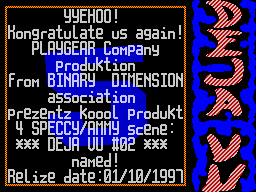
On the control of obolochke DEJA VU # 02.
__________________________________________


                  *


   Here I (DANIIL) will try to detail
rasskazat you about the shell DEJA VU and the management of it.

   Initially, the design and management in the envelope I
designed on the convenience, modern look, and based on the
requirements of users, placed on electronic publishing.

   So control-arrow cursor in the magazine can be the following
devices:


        1) KEMPSTON MOUSE

        2) KEMPSTON JOYSTICK

        3) RIGHT SINCLAIR JOYSTICK

        4) KEYBOARD (Q, A, O, P, SPACE)

        5) CURSOR JOYSTICK

KEMPSTON MOUSE - zhelatelna three-button
Mouse! The first button is pressed
click "FIRE", the opposite button -
accordingly becomes button
"CANCEL". This applies to the two extreme
buttons, the middle button is not queried.

KEMPSTON JOYSTICK - polled by the port
# 1F. If your KEMPSTON connected to port
# DF, it may also work but will not
guaranteed!

RIGHT SINCLAIR JOYSTICK - or press
6,7,8,9,0 - no problem, I think not
arise!

KEYBOARD (Q, A, O, P, SPACE) - If you have
completely absent all the joysticks and mouse
you predetsya poke at those buttons!

CURSOR JOYSTICK - analog cursor keys,
"0"-FIRE!


   Not supported by a survey of the left SINCLAIR
JOYSTICK'a (because he left!), PROTEC
JOYSTICK'a (because I do not know how to
oprashivat, "AY"-MOUSE (as M. IWAMOTO
said chto that's not corporate!), and "Dial" on S, X, O, P, M!

   Among other things, starting with the second
numbers in the magazine implemented the "hot"
Keys:

 "EDIT" - Cancel the current function;
 "BREAK" - Cancel the current function;
 "W" - the top line;
 "S" - the end of the line;
 "E" - the top of the page at a time;
 "D" - a page at the end;
 "1" - on / off. music;
 "2" - color / monochrome;
 "3" - save the current text on the disc!

   It should be noted that the SAVE TEXT runs on urovne # 3D13,
so for this features characteristic of all the erroneous
situation TR-DOS. Be careful!


   Text is saved in a format ZX Ibm text
editor, if you need a format for IS-DOS,
at the end of the file, using a monitor set code # 03! Before
unloading the text there is a "drying" of the text, ie removes
all control codes and graphics! This procedure takes
considerable time (up to 10 seconds), depending on the length
of the text! In the process of "drying" may be howling

music because processor executes a large
number of teams LDIR.

   Likewise, the text can be saved, "clicking"
the icon with the letter "S" (before there was a
SCREEN SAVER!).


   Almost anywhere in the press FIRE vypolneniyu leads to a
function. If "Poke" by menyuhi will appear more

menu!

   If you are unsure of their actions
then click on neboytes you do not understand
"Click" or "icon" - do not worry
will not happen!

   In view of the text (ie, when
you choose any article), there
nekotorye features. Applying the well-proven method of
partitioning text box on the zone in realizovanny

ZX-Format'e. Pressing the FIRE in these zones
leads to postrochnomu or postranichnomu
Text paging up or down. Zones are as follows:


             Text box:


                             / \

        / \ / \

    Home Home

    Line-by-page


    In the end to end

    Line-by-page

        \ / \ /

                             \ /


   I think the separation of text on okna
zone in this way is more logical
than in well-respected by us all ZX-Format'e.


   From the second room, offers a more
additional mode - view
images. Here, too, is very simple, the zone is as follows:


            Graphical window:


         Go to previous image

                   / \

                   / \


                   \ /

                   \ /

         Go to the next picture


   Exit from the "BREAK" and "EDIT", except
to work "hot" keys:
 "W" and "E" - to the previous picture;
 "S" and "D" - to the next picture.


   Next one more time. In view of the text press CANCEL exits
to the shell. As I've said for the mouse CANCEL is one of the
buttons and the keyboard is CANCEL BREAK and EDIT.

   With "icons" - switches MUSIC
ON / OFF and COlOUR / MONOCHROM, I guess you'll figure it out
without any problems, except to say that These functions are
accessible from both the shell, and the preview mode of the
text.

   As often happens, there will be people who mnogoe like, as
well as those who mnogoe neponravitsya. So you write Do not
hesitate, we are not evil and does not bite and niodnogo letter
did not leave unattended! Redaktsii addresses can be found in
the section "from the author".

   That's all I wanted to say a shell
and managing it.