__________________________________________

  / \ / \ / \ / \ / \ / \ / \ / \ / \ / \ / \ / \ / \ / \ / \ /
\ / \ / \ / \  / \

 \ -= Learning Claudia =- /
 / \
 \ / \ / \ / \ / \ / \ / \ / \ / \ / \ / \ / \ / \ / \ / \ / \
/ \ / \ / \ / \ /

(C) NoViSeT / BrC
__________________________________________


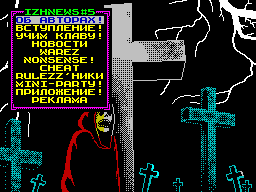
  This section will help you my dear
detishechki understand the intricacies and
the specifics of working with
keyboard by reading our
gazetochki. You've probably zameteli that its
design is very different from
registration of other similar publications, it
with absolute ease and hopefully will not cause
you have a great difficulty.

 And so in the main menu is available for you

          klavishechki following:

 Q, S, 7 - marker up;
 A, X, 6 - marker down;
 O, K, 5 - a marker to the top of the menu;
 P, L, 8 - marker at the end of the menu;
 Space, Enter, 0 - the choice of the article.

 When you select an article you find yourself in a Viewer

    where you have the following klavishechki:

 Q, S, 7 - text to line up;
 A, X, 6 - the text on one line;
 O, K, 5 - avtoskroll text up;
 P, L, 8 - avtoskroll text down;
 E - exit to the main menu;
 M - disabling / enabling of music;
 With - enable / disable colored text
 V - inclusion SCREEN SAVER'a (SAVER
vklyuchchetsya and automatically if within
minutes are not the keys prikosatsya
Management listalke)

  That's all my dear detishechki think you
learned a lesson. And now everyone will put
currently appreciated. And go ahead!