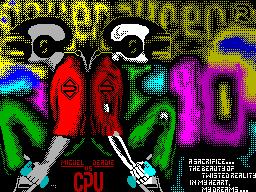
I N T E G E R


              p R e S e N t


     Tubro Debugger version 1.00demo


                 Authors

Main code by ...................... Maximum
Testing by ......................... Sektor


  For Your Consideration is a demo version
new monitor debugger for a computer
ZX-Spectrum with any memory from 48 to
1024KB.


  Main advantages:

- Debug any upper memory, you need to

  only specify the port expansion and

  connect the appropriate driver ver
  hney memory (profy.ram, scorpion.ram

  pentagon.ram ...)

- There's even the possibility to debug the prog
  rummy who are from 0 addresses.

  (Y profika is a bit if its success
  tanovit have 0 page will appear with 0 addresses)

- Ability to install up to 10 points

  breakpoint in the various pages of memory!

- Ability to connect different over
  lays (spr_cut.ovr, format.ovr, doctor.

  ovr, ms_read.ovr ...)

- The debugger can be in any country
  boundary, but only if it is in Article
  Ranitsa 7, the work takes place from 2 eq
  Ran, or with a screen (This is not my

  whim, it is technically impossible)

- Unlike STS 6.2 job numbers st
  Ranitsa defined as a real number, not

  as the value for the port # 7ffd and other

  separately ...


  Well, now I come to the detailed description:


               Screen


 Debugger screen is divided into 3 windows:
 1.Okno registers and information:

 - Registers:


   HL # 0000 F3AF 324A 0F4A 1F9A 90F0. A3.3f?.


          2 3 4

      1


  1 - Name Registry;

  2 - The value of the register;

  3 - Bytes, which sit at the address on the

      which specifies this register;

  4 - Symbols at the same address.


  DE, BC, IX, IY - all as well as in HL.


   AF # 653F A% 01000001 Flags ........


      1 2 3 4 5


  1 - The name of the registers;

  2 - The value of registers;

  3 - a symbolic representation of the register A

  4 - Bitwise representation of register A

  5 - Flags.


   SP # 5FFC # 1303 # 5B00 # 0B32 # 0C12 # 0531


      1 2 3


  1 - Name Registry;

  2 - The value of the stack;

  3 - The words on the stack.


   PC # 6000 NOP


      1 2 3


  1 - Name pregistra;

  2 - The value of PC;

  3 - The team at this location in the expanded
      pulsed mode, ie: let us

      Team LD HL, # 4000, then 3 column

      will look like. as follows:


   PC # 6000 LD HL, # 4000 # 4000 = # FFFF


                     May 4


  4 - numeric value (in case

      instead of a number derived label);

  5 - The value at that address.

 - Information:

 Resident = # 5B00 - The address where the resident is sitting;
 Ports = # 18 / # 00 - The value of port # 7FFD and

                port expansion;
 EI - EI / DI

 2. Disassembler window:

 Line looks sled.obrazom:


   # 6000 210040 LD HL, # 4000


        1 2 3


  1 - Address of the team;

  2 - command codes;

  3 - mnemonics.


  In the 3 columns for ease of display
do the following. things:

 1. For commands JR, DJNZ after the address is
arrow that shows where the command refers;

 2. PAP teams CP, if compare the number
included in the range of 32-127, in quotes
shows the code;

 3. If at this point the team is
breakpoint, then the right is the number breakpoints.


 3.Okno information:


  This screen has 4 different maps -
of:

  - Code;

  - Text;

  - Bin;

  - Ay Regs.

 1. Code - this is a hex dump;
 2. Text - text representation of the memory;
 3. Bin - binary representation of the memory;
 3. AY Regs - the value of registers AY_.


  The display type is switched SS +2


                  Keys


 We now describe the key:

 0,1,2,3,4,5,6,7,8,9 - Jump to the previously
memorized the address;

 a + n - where n, number 0-9 - Save the address
for the transition;

 CS +1 - Viewing another screen. The screen is held up until
the key is pressed;

 CS +2 - Expanded View screen;

 CS +3 - Up to a page in the disassembly window;

 CS +4 - Down on the page;

 SS +1 - Jump out the window in the disassembly
window registers, and vice versa;

 SS +2 - Toggle the display type in the information window;

 SS +3 - Toggle HEX / DEC;

 CS +9 - Enter a value for the port # 7FFD;

 CS +0 - Enter a value for the add. port;

 Q - Output of assembler;

 I - Fill memory bytes;

 O - Copy memory;

 P - Go to the address under the cursor;

 SS + P - Return to the last address;

 L - File Upload:


  Selecting Files cursor, CS +3,4 - Track /
Prev. sector;

 Z - PC = address under the cursor;

 SS + Z - Debug commands;

 V - Address window display information =
address under the cursor;


 - A resident has the size of 45 bytes

 - No debug commands:


        RETI

        RETN

        JP (IX)

        JP (IY)

        OUT (C), r - if the BC port configuration
                    radio computer;

 - A resident does not store under a memory;

 - No record;

 - No reading sectors;


               Full version

 - Procedures for recording the file sectors;

 - Fix bugs found;

 - Debugging TD-DOS 'a;

 - Tag support assembly;

 - New overlay's.


                Overlays


  This add-on modules, loadable
in memory address # D000 and work with 0
screen. They have the extension "o".


  To demo attached files:

 spr_view.o - Image Sprite;
 txt_view.o - Image of the texts;
 fnt_view.o - view fonts;
 help.o - brief help on the keys;
 profy.r - the driver of the upper memory

           Profy 256-1024Kb;
 scorpion.r - for Scorpion 'a 256-512Kb;
 pentagon.r - for the Pentagon 'a 256-512Kb;
 TD_init. B - Installer TD v1.0 demo;
 TDv1.0. B - Boot TD;
 TDv1.0. C - Self TD;
 TD_Help. B - This Help.


  This version of the debugger is distributed freely, but
here's the full version will be Commercial product. Disk with a
copy of TD will cost you 15 rubles (08.04.1999).


  The algorithm is as follows:


  You are sending cash on me 15
rub, and the disc, this disc I
'll take you to the TD and I'll tell you a user number.

 Here's the address:


        665816, obl.Irkutskaya

        Angarsk, 177-13-18,

        Andrew G. Behr.


Hellos:


       all members from INTEGER:

     Sektor, DaG, FOX, Slider,

           Slayder, TR ...

         ELF / CPU and all CPU

           Digital Reality

             Card! Nal / BDA

                 ASM

             Code Byster

            and for You ...